Most people spend weeks picking a projector and about ten minutes deciding how it will actually live in the room. That order is backwards. Projector mounting and setup determine whether you end up with a clean, rectangular image you stop thinking about, or a tilted, keystoned picture you nudge every time the door closes. The projector is the fun decision. The mount, the placement, and the cable run are the decisions that decide whether you use the thing at all.
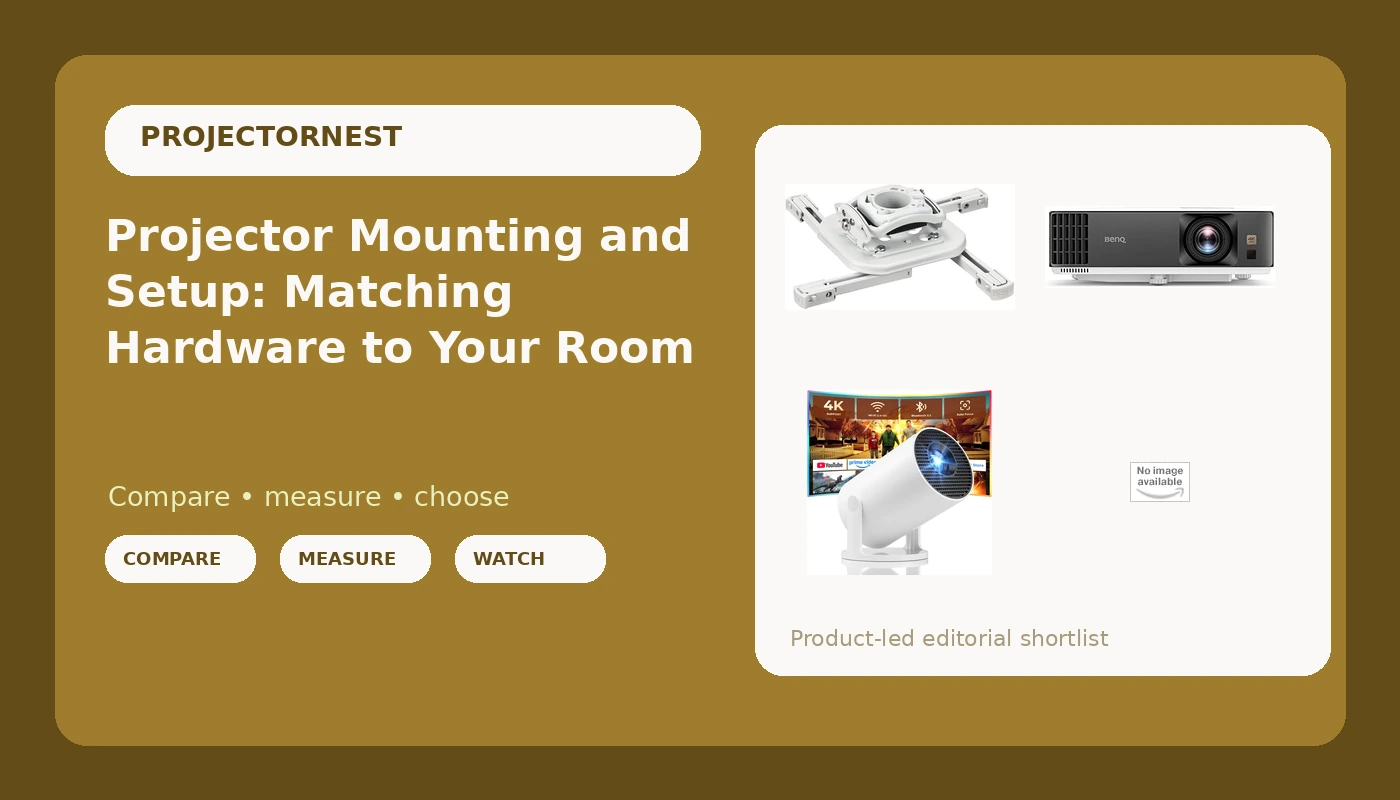
This is not a ranking of projectors. It is a look at four pieces of hardware that solve different problems: a 4K HDR projector built for movies and games, a portable mini projector with streaming apps built in, and two white ceiling mounts at very different points on the price and capability curve. Each one makes sense in a different room, and each one fails in a different room.
Related: ANSI Lumens Explained: How Bright a Projector Really Needs to Be →
Quick answer
Choose the projector first, then choose the mount based on the projector's weight and mounting pattern, then confirm your ceiling can take the load and your room can take the throw distance. A portable mini projector with built-in apps suits a bedroom, a dorm, or a room where you move the picture around. A 4K HDR home entertainment projector suits a fixed room where you care about movies and games. A universal white ceiling mount handles the installation, and the difference between a basic mount and an installer-grade mount is adjustment range, hardware, and how much you trust it hanging over your head.
4 useful options
| Model | Best fit | What stands out |
|---|---|---|
| BenQ TK700 4K HDR Home Entertainment Gaming & Movie Projector 4.2ms Latency | A fixed movie and gaming room | 4K HDR home entertainment design, with a 4.2 ms latency figure stated in the product name |
| Mini Projector, Portable Projector with Wifi and Bluetooth, Built in Apps | Bedrooms, dorms, and moving between rooms | Wi-Fi, Bluetooth, and built-in apps in a portable body |
| Universal Projector Ceiling Mount - White | A straightforward ceiling install | Universal fit in a white finish that blends into most ceilings |
| Chief RSMBUW Rpa Mini Elite Universal Projector Mount Lock B White | An install that needs range and a locking mount | RPA Mini Elite universal platform with a lock, in white |
The centerpiece: BenQ TK700 4K HDR Home Entertainment Gaming & Movie Projector 4.2ms Latency
What a name like this does not tell you is brightness, contrast, fan noise, or throw distance. Those are the specs that decide whether the projector works in your room, and they are exactly the specs you should look up on the product page before buying. A projector in this class is meant to sit in one place, which means it wants a ceiling mount or a sturdy shelf rather than a spot on the coffee table. Once it is fixed in position, the install quality shows up in the image: a mount that sags or drifts turns every movie night into a realignment session. Plan on running power and a source cable to wherever it hangs, and decide now whether that cable path is inside a wall, behind a raceway, or visible.
The flexible pick: Mini Projector, Portable Projector with Wifi and Bluetooth, Built in Apps
The trade-off with any mini projector is that portability comes from small optics and a small light source, and small light sources lose to room light. Put one in a bright living room at noon and you will see a washed-out rectangle. Put the same projector in a bedroom with the blinds closed and it looks completely different. This is the category where a plain white wall is often the screen and where the projector sits on a nightstand, angled up, using keystone correction to square the image. That works, but understand what you are paying for it: keystone correction reshapes the picture digitally, so the more you lean on it, the more of the panel you are not using. If you plan to mount this one permanently, check its mounting thread and weight first, because not every mini projector is built with a ceiling in mind.
The budget-friendly mount: Universal Projector Ceiling Mount - White
A universal mount earns its keep by fitting more than one projector, which matters if you upgrade the projector later and keep the bracket. The trade-offs are adjustment range and hardware. Basic mounts give you tilt and swivel and not much else, so the ceiling location has to be close to correct before you bolt anything in. If your room forces the projector off-center, or if the screen has to sit higher or lower than the mount allows, you will be leaning on the projector's own lens shift or keystone to compensate. Verify the mount's stated weight rating against your projector's weight, confirm the mounting pattern lines up, and find a ceiling joist or use proper anchors. A hollow drywall anchor is not a projector mount.
The heavy-duty mount: Chief RSMBUW Rpa Mini Elite Universal Projector Mount Lock B White
The gap between this and a generic bracket is the same gap as between a builder-grade ceiling fan and one an electrician would install in a commercial space: build quality, repeatable adjustment, and the confidence that the thing will hold its position for years. The lock is the tell. It exists because this mount is designed for rooms where people other than the owner have access, and where a projector that drifts or walks away is a real problem. The trade-off is cost and overkill. Hanging a lightweight mini projector from a mount in this class is like using a structural bracket for a picture frame. It will work. It is just more mount than the job requires.
Prices and availability change, and listings are updated by the retailer. Confirm current details on the product page before ordering.
Mount, shelf, or table: what actually changes
Placement is a geometry decision before it is an aesthetic one. A ceiling mount puts the projector above and behind the seating position, keeps it out of the walkway, and makes the image stable once it is set. The cost is the install itself: finding structure in the ceiling, routing power and signal, and accepting that any adjustment means getting a ladder out. A wall shelf is easier to install and easier to reach, but shelves are rarely in the right place, and a shelf that flexes when someone bumps it moves your image. A table or nightstand is the right answer for a portable projector and the wrong answer for a permanent room, because every time the table moves, the picture moves with it.
The other thing placement controls is noise. A projector sitting on a table a few feet from your head is much more noticeable than the same projector mounted behind the seating area. If fan noise bothers you, distance and placement fix more of it than any spec sheet will.
Throw distance and geometry: the math that decides your room
Throw ratio is the number that tells you how far the projector has to sit from the screen. A throw ratio of 1.2 means 1.2 feet of distance for every foot of image width, so a 100-inch wide image needs roughly 120 inches of throw, about 10 feet. Short throw projectors need much less, which is why they show up in small rooms. Before you buy anything, measure the distance from your planned mount location to the screen and check that number against the projector's stated throw ratio for the screen size you want.
Then there is geometry. Lens shift physically moves the lens and keeps the image rectangular, which is the good kind of correction. Keystone correction does it digitally and costs you resolution and light. Digital zoom does the same. So the practical rule is: place the projector as close to ideal as the room allows, use lens shift if the projector has it, and use keystone only for the last small bit. Vertical offset matters too, since many projectors project slightly upward from the lens, which affects how low or high the mount should hang.
Here is the order I would work through it:
- Decide the screen size and the seating distance, then measure the room.
- Check the projector's throw ratio against the distance you actually have.
- Confirm the projector's weight and mounting pattern before choosing a mount.
- Locate a ceiling joist or a solid mounting point at the right spot.
- Plan power and cable routing before drilling anything, not after.
Planning the install before you buy anything
- Measure twice: screen width, screen height, mount distance to screen, and eye height at the seating position.
- Weigh the projector and compare that number to the mount's stated capacity, with margin.
- Confirm the mounting pattern, since universal mounts still have limits.
- Decide where power and the video source will come from, and whether that path is hidden or visible.
- Think about who adjusts it later. A mount that is easy to reach gets fine-tuned. One that needs a ladder does not.
Which option should you choose?
Choose the BenQ TK700 4K HDR Home Entertainment Gaming & Movie Projector 4.2ms Latency when you are building a fixed room for movies and games and you want 4K HDR plus a low stated latency figure in one unit. Choose the Mini Projector, Portable Projector with Wifi and Bluetooth, Built in Apps when the picture moves between rooms and you want apps and wireless connectivity without extra boxes. Choose the Universal Projector Ceiling Mount - White when you have a standard ceiling install, a modest projector, and you want the bracket to disappear into the ceiling. Choose the Chief RSMBUW Rpa Mini Elite Universal Projector Mount Lock B White when the install is permanent, the room is shared, or you want a mount with more adjustment and a lock.
One caveat on all four: this article sticks to what the product names and listings state. Brightness, contrast, fan noise, actual measured latency, and real-world image quality are not asserted here, and you should verify them on the product page and in independent testing before you commit. A mount and a projector are a system, and the room is the third part of it. Get the room wrong and no hardware fixes it.
The bottom line
Projector mounting and setup is where good hardware either pays off or gets wasted. Pick the projector for the room you actually have: a portable, app-driven mini projector for flexible, dim-room viewing, or a 4K HDR home entertainment projector for a fixed movie and gaming setup. Then treat the mount as part of the purchase rather than an afterthought, matching it to the projector's weight and pattern and to how much adjustment your ceiling position demands. Check current Amazon price on each option, confirm the specs on the listing, and measure your room before anything goes on the ceiling.