The first projector I ever hung for money was a cheap Amazon special in a finished basement, and the mount ended up costing more than the projector did. Fifteen years and a few hundred installs later, that ratio has not changed. Everybody budgets for the picture and forgets that a projector mount and screen setup is what decides whether the image lands square, stays square, and still looks right six months from now.
Related: Projector Throw Ratio Explained: How Far Back Does It Sit
If you are starting from nothing, buy the smart short throw projector first, because it replaces a projector, a streaming stick and a soundbar in one box. If you already own a projector you like, the 120 inch motorized screen is the upgrade that changes movie night the most.
That is the short answer. The long answer is about the order you buy things in, why one ceiling mount costs several times what another one does, and which corners you can cut without wrecking the picture. Here is how the four pieces stack up.
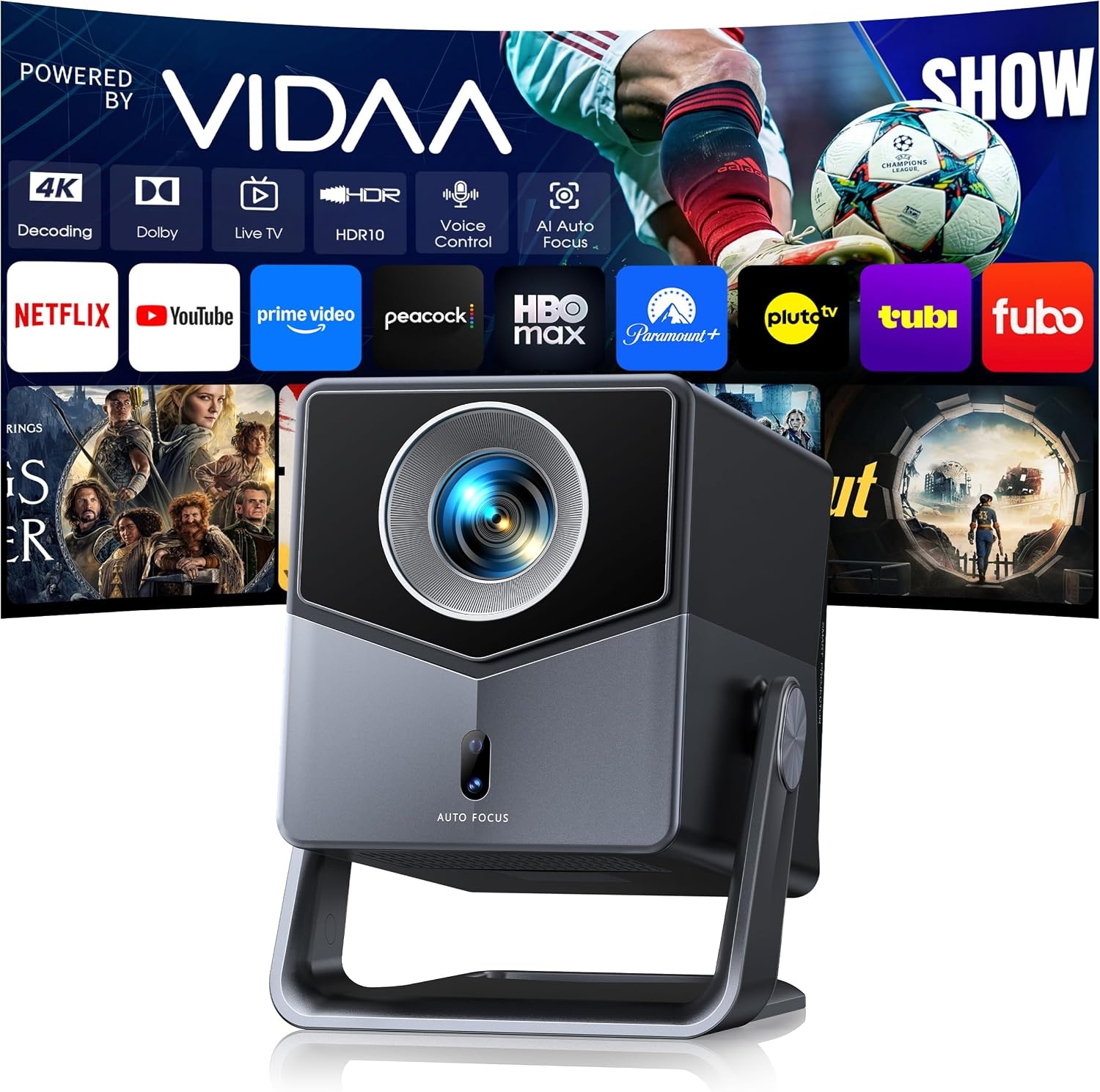
Smart Projector 4K [VIDAA Live TV & 36W Dolby & Voice Control]
One box covers streaming, apps and sound, so it works in a living room or a backyard without a rack of gear
A lifestyle projector still loses to an uncovered window, and the brightness claim needs an ANSI number behind it

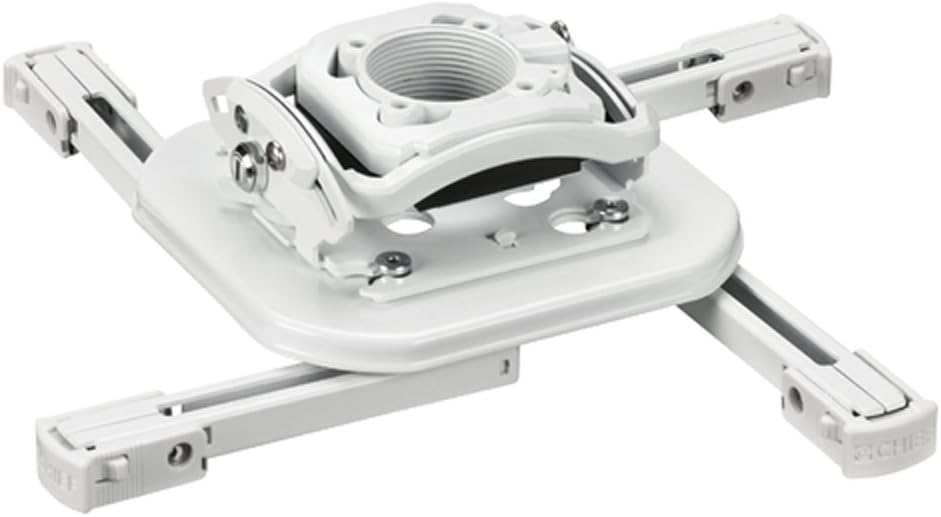
Universal Projector Ceiling Mount - White
The cheapest way to get a projector off the coffee table and aimed at a screen instead of a wall corner
Universal means universal-ish. Expect a bag of screws and an afternoon of fiddling
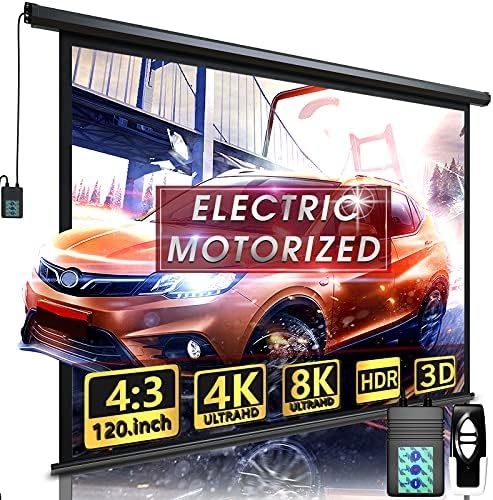
Motorized Projector Screen with Remote Control (120 inch)
A real screen that disappears with one button, indoors or in the yard
You now own a motor, a power drop and a screen that has to stay flat to look right
Chief RSMBUW Rpa Mini Elite Universal Projector Mount Lock B White
Install-grade hardware and a locking design, so the projector stays exactly where you aimed it
You pay a premium for something nobody will ever notice on the ceiling
Prices and availability were captured from Amazon Creators API and may change.
The order I buy things in
For a permanent room, the screen comes first and the projector comes last. That sounds backwards, but it is not. The screen sets your size, your mounting height and your seating distance. Once those are locked, you pick a projector with a throw ratio that reaches the screen from a position your ceiling can actually accommodate. Buy the projector first and you end up with a machine that wants to sit four feet closer than your room allows, which is how people end up with a 90 inch image on a 120 inch screen and a permanent frown.
For a rental, a dorm or a living room where nothing is going on the ceiling, flip the order. Buy the one-box projector, put it on a shelf or a side table, and let the auto focus and the short throw do the work. That is the case the smart projector here was built for.
The projector: one box or a theater build
The Smart Projector 4K with VIDAA Live TV and voice control is the piece most people should look at first, and it is also the piece most people misjudge.
What it does well is remove boxes. VIDAA Live TV is built in, so Netflix and the rest do not need a streaming stick hanging off the back. Voice control and WiFi 6 mean you are not running an Ethernet drop across a living room. Bluetooth means you can send audio to a soundbar if you own one. The short throw lens matters more than any of that, because it lets the projector sit close to the screen. In a small room, or in a room where the seating is against the back wall, that is the difference between a 120 inch image and a 70 inch one.
The 36W Dolby audio is a genuine convenience and I want to be honest about what it is: onboard sound for casual viewing, not a replacement for a receiver and speakers. If your movie nights are sitcom reruns and a baseball game, it is plenty. If you want the floor to move during an explosion, budget for audio separately.
The AI auto focus is the feature that saves the most arguments. Focus drift is the number one complaint I get on service calls, and it is almost always because someone bumped the table the projector was sitting on. Auto focus and keystone correction handle that in seconds, which is exactly the kind of thing a first-time buyer should care about more than resolution.
And now the caveat, because this is where I stop being nice. The specification I want before I spend money on any projector is ANSI lumens. That is the industry standard measurement. Everything else is marketing. If a listing will not quote ANSI lumens, treat the brightness number as decoration, and understand that the room you put it in will decide how the picture looks far more than the projector will. That rule applies here exactly as it applies to a projector that costs ten times as much.
The two mounts, and why they are not the same product
The Universal Projector Ceiling Mount in white is the practical answer for most homes. It is white, so on a white ceiling it vanishes, and universal brackets mean it will accept a wide range of projector footprints. The trade-off is in the name. Universal mounts are universal-ish. You get a hardware bag with more screws than you need, an adjustment joint that requires patience, and a final position that is good rather than perfect. For a projector in a spare bedroom or a game room, that is a completely reasonable compromise.
The Chief RPA Mini Elite universal projector mount is the other end of the market. This is install-grade hardware from a brand that sells to integrators, and the locking design in the name is the reason it exists: when a projector hangs over seating, over a walkway, or over anything that would be expensive to replace, you want it to stay locked where you put it and you want the fine adjustment to hold. Nothing about this mount makes the picture brighter or sharper. It makes the install predictable, and it makes the second adjustment, six months later, unnecessary.
Here is the honest trade-off. On a projector you move twice a year, the budget mount is fine. On a projector that lives on the ceiling for five years, the premium mount is the cheaper purchase, because it is the difference between aiming the image once and aiming it every time somebody walks heavily across the room.
The screen is not optional
I have watched a lot of people project onto a painted wall and call it good. It works, sort of, for a while. Then you notice the texture, the slight color shift, the hot spot in the middle and the fact that the image is never quite the shape you want.
The motorized 120 inch projector screen with remote control solves the shape problem and the aesthetics problem at once. One button, the screen drops, movie night starts. One button, the screen rolls up and your living room goes back to being a living room. That matters more than people expect, because the biggest reason home theaters die is that they are inconvenient to use. A screen that takes thirty seconds to deploy gets used. A screen that requires pulling a tripod out of a closet does not.
120 inches is the sweet spot for a typical living room. It is big enough to feel like an event and small enough that a short throw projector can fill it from a sensible position. The motorized design also means you can mount it high and let it drop to the right height, which keeps the bottom of the image off the floor.
The costs you should plan for: a power drop near the screen housing, a mounting surface that can carry the housing, and the fact that a screen with a motor has one more part that can fail. For outdoor use, understand that a screen is a sail. Wind is not a manufacturer defect, and I have seen a good screen turned into a kite.
The trade-offs the spec sheets skip
Light control beats hardware. A modest projector in a dark room will outperform an expensive projector with the blinds open. Every time. Before you spend anything on gear, ask what you can do about the windows. Blackout curtains are the highest return purchase in this entire hobby, and they cost less than any of the four products here.
Fan noise scales with brightness. Any projector pushed to its brightest mode gets louder. If the projector hangs directly over your head, that noise is part of the experience, and no spec sheet tells you how annoying it will be in your room.
Throw ratio is a measurement, not a suggestion. Measure the distance from your planned mount position to the screen before you drill. Short throw models buy you flexibility, but they are not magic, and a bad position is a bad position.
Mount drift is real. A mount with a loose adjustment joint means you re-aim the image monthly. This is the quiet reason installers pay more for hardware.
Screens need tension. A motorized screen that does not stay flat shows wrinkles in bright scenes. That is the compromise you accept for the convenience of a roll-up.
Input lag matters if you game. If you plan to play anything competitive, check the lag before you buy. A projector that is beautiful for movies can feel sluggish on a menu, and you will notice it immediately.
What I would buy in each situation
Apartment or rental, one room, no drilling: the smart short throw projector, on a shelf, with the built-in streaming and sound doing the work.
Living room with a white wall and a spouse who cares about looks: the smart projector plus the motorized 120 inch screen. The screen is what keeps the room livable.
Backyard movie nights: the same pair, with a plan for ambient light and wind, and a Bluetooth speaker or soundbar instead of relying on onboard audio outdoors.
Finished basement theater, projector staying up permanently: the Chief mount, the motorized screen, and a projector chosen after the screen size is locked.
You already own a decent projector and a mediocre image: buy the screen first. It is the single biggest visible upgrade, and it costs less than a new projector.
Questions I get about this stuff
Do I need a screen if I have a white wall? No, you need a screen if you want the image to look the same in a year. Walls are a starting point, not a destination.
Is a universal ceiling mount good enough? For most rooms, yes. It is fiddly to install and it will not hold an adjustment like the premium hardware, but it does the job.
Is a short throw projector worth it? In a small room, absolutely. It is the difference between a big image and a compromise.
Does the 4K label matter here? Less than brightness and room control. If you cannot darken the room, resolution is the last thing you will notice.
The bottom line
Start with the room, then the screen, then the mount, then the projector. If you want one purchase that makes the whole thing usable, the smart short throw projector is it, because it removes the streaming stick, the speaker and the setup ritual in one move. If you already have a projector, the motorized 120 inch screen is the upgrade you will actually see every night.
Visit on Amazon → for the projector, and check the screen and mount options the same way: one at a time, with a tape measure in hand.
What I am testing next
I have a blacked-out theater room and a living room with west-facing windows, and I am running the same content in both to see which gear survives real life instead of a test pattern. The window room wins arguments, the dark room wins pictures, and the gap between them is the only review that has ever mattered to me. I will report back with what the measurements say.