I have hung projectors in basements with no windows, in bonus rooms with four of them, and in one memorable garage where the client wanted a 150-inch screen next to a rolling tool chest. Fifteen years of that teaches you one thing: the spec sheet is a wish list, and the room is the referee. This home theater projector comparison puts four very different machines side by side, a 4K short throw, a bright 1080p workhorse, a smart portable, and a budget mini, and I am not going to pretend they compete for the same buyer. They do not. What they do is cover almost every room I get called about, and knowing which one belongs where is the entire decision.
Related: ANSI Lumens vs Marketing Lumens: How to Read Projector Brightness
If you want the short answer: the BenQ TH575 is the one I would put in most living rooms, because 3,800 lumens is the only brightness figure in this group with a fighting chance against a lamp or a window, and 16ms low latency means the picture does not fall apart when a controller comes out. Everything after that sentence is about the room you actually have.
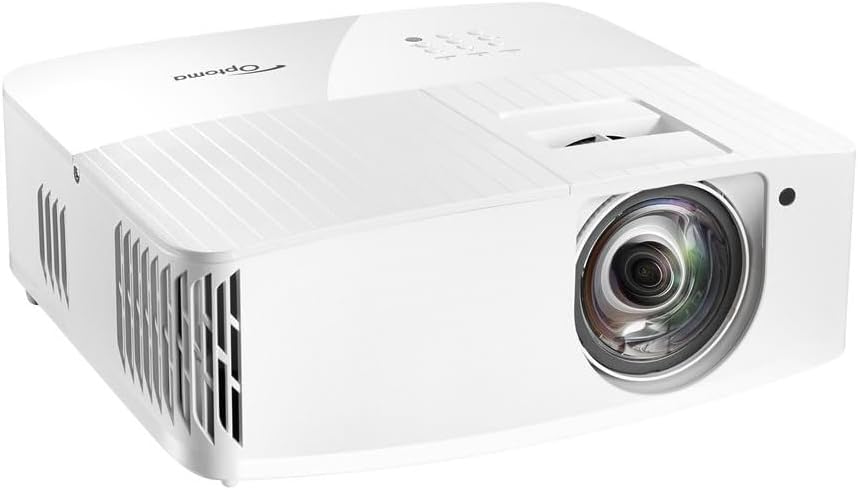
Optoma UHD35STX 4K UHD Short Throw Gaming and Home Entertainment Projector
Real 4K UHD resolution plus a short throw design that fits a small room, and it is built with gaming in mind
Short throw optics are picky about placement, and this class of DLP rarely wins on black level
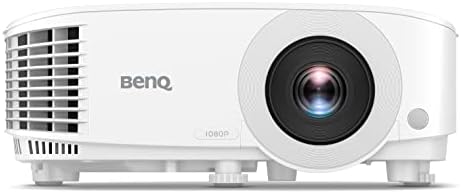
BenQ TH575 1080p 3800 Lumens Home Entertainment Projector 16ms Low Latency
3,800 lumens is the brightest claim in this group, and 16ms low latency keeps games playable
1080p native and no smart platform, so you supply the streaming stick
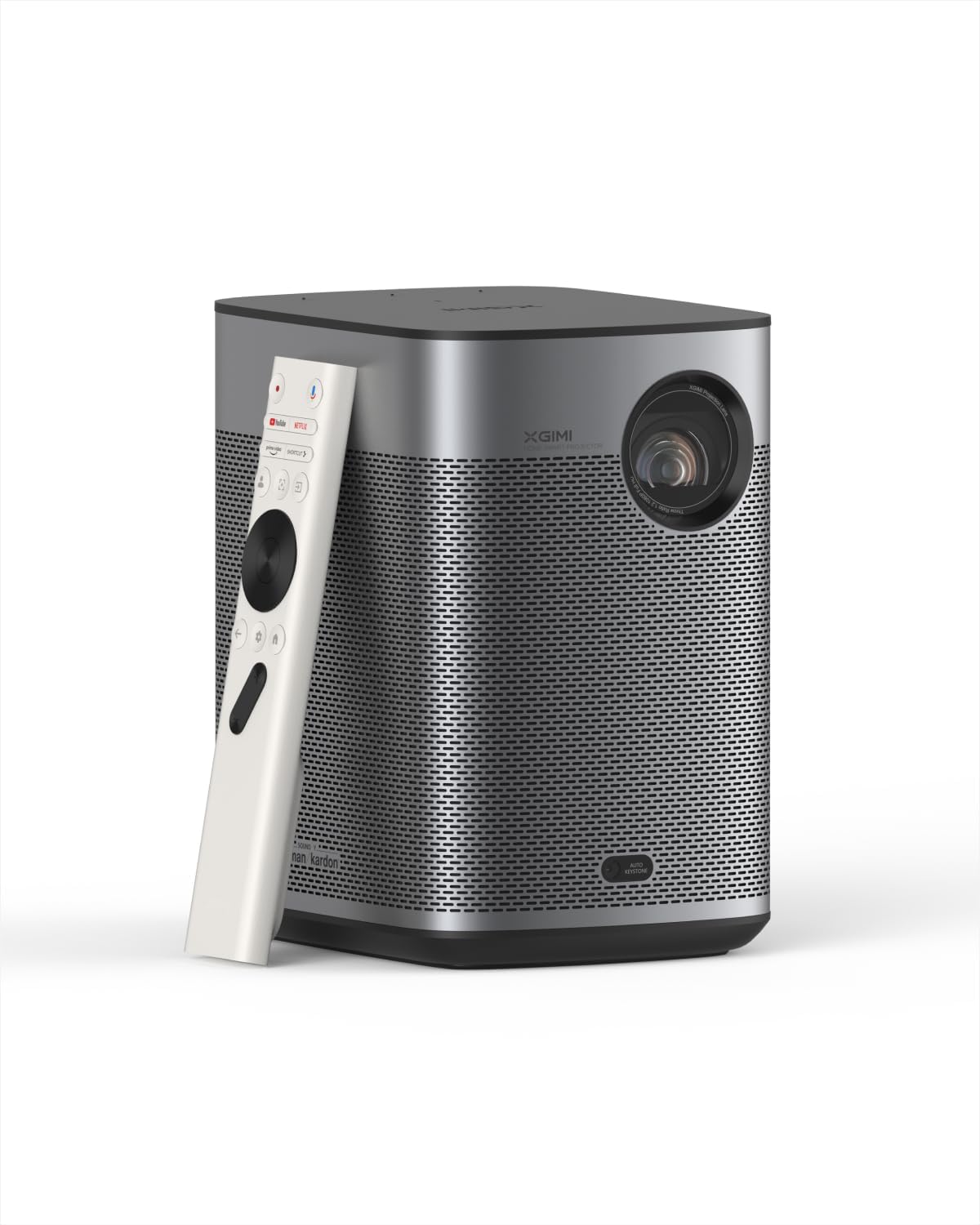
XGIMI Halo+ Portable Projector, Google TV, Licensed Netflix, 700 ISO Lumens
Google TV with licensed Netflix built in, and 700 ISO lumens is a standardized figure rather than a marketing one
700 lumens is a dark-room number, and the premium price buys software and portability, not brightness
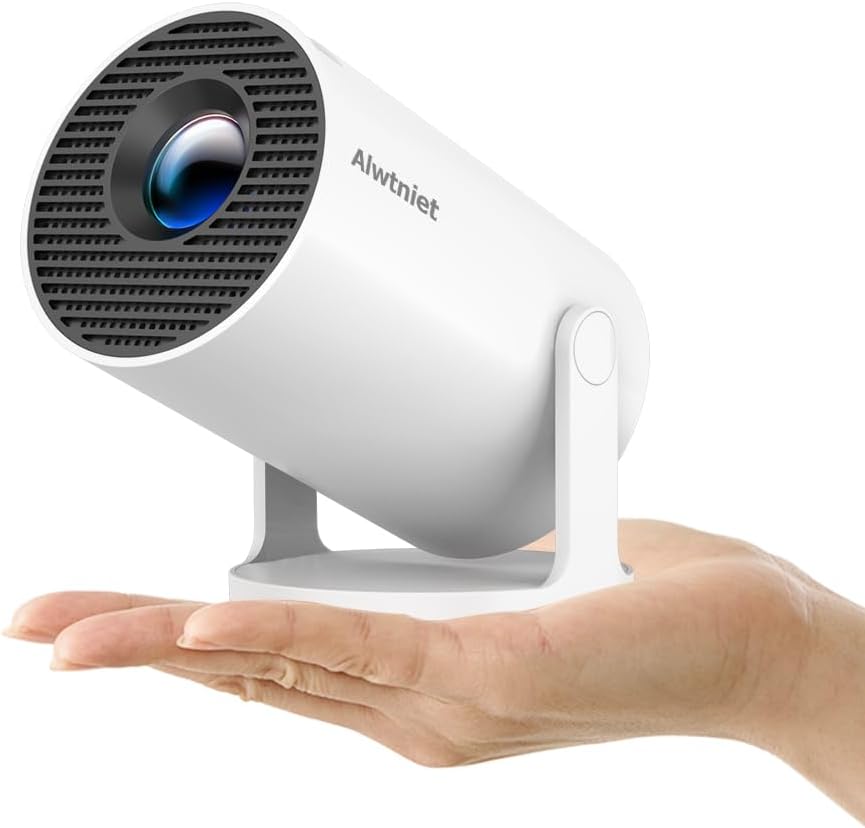
Mini Projector with Wifi and Bluetooth, Portable 4K Support, Android 14/ Auto Keystone, HY300Pro Small Smart Proyector
The cheapest way into a big picture, with Android 14, auto keystone, and Wi-Fi and Bluetooth on board
"4K Support" means it accepts a 4K signal, not that it resolves one, and expect a dim image in any light
Prices and availability were captured from Amazon Creators API and may change.
How I judge a projector
I calibrate with a colorimeter, which means I have opinions about things nobody asked about. But before color comes light, and before light comes placement. Four questions decide whether a projector is worth your money. What is the real brightness, stated as a standardized measurement rather than a number a marketing team liked? Does it have the throw range and keystone adjustment to land a straight, filled image in your actual room, without a ladder and a prayer? How loud is the fan when the lamp is at full power? And would I sit through a two-hour movie on it in my own basement, with the lights I actually have?
Notice what is not on that list: resolution badges, HDR logos, and the contrast ratio printed on the box. Contrast marketing numbers are fiction. Real contrast is what your eyes see in your room, and the room gets a vote whether you like it or not.
The four projectors and the rooms they belong in
Optoma UHD35STX: the 4K short throw
Short throw means exactly what it sounds like. The projector sits close to the wall or screen instead of across the room, which is the difference between a big image and no image in a short basement or a narrow bonus room. The Optoma UHD35STX pairs that with 4K UHD resolution and a design aimed at gaming and home entertainment.
This is the pick for someone who wants 4K and cannot put a projector 12 feet back from the screen. The trade-off is that short throw optics are unforgiving about placement, and a DLP in this price class is not going to give you the black level of a dedicated theater projector. If your room is dark and your seating is close, it works. If your room has windows, keep reading.
BenQ TH575: the bright living room workhorse
The TH575 is the practical answer for the room where life happens. It claims 3,800 lumens, which is the highest number in this comparison by a wide margin, and it claims 16ms low latency, which matters the moment someone plugs in a console. It is 1080p native, and I will defend that all day: 1080p done brightly beats 4K done dimly, because you cannot see resolution through a washed-out gray image.
There is no smart platform here. You bring a streaming stick, and honestly, that is a feature. Sticks get replaced every couple of years and the projector keeps working.
XGIMI Halo+: the smart portable
The Halo+ is the lifestyle pick, and the spec list explains why. Google TV is built in, Netflix is licensed rather than sideloaded through a workaround, and the brightness is quoted at 700 ISO lumens. ISO lumens is a real standard, so at least the number is honest. It is also small and portable, which is the point.
Seven hundred lumens is a dark-room number, full stop. This is a bedroom, tent, or backyard projector for movie nights, not a projector for a living room with the blinds open at 3 p.m. If that describes how you watch, it is a genuinely nice piece of hardware. If it does not, you will be disappointed and you will blame the projector instead of the room.
Mini Projector with Wi-Fi and Bluetooth: the bedroom starter
This one runs Android 14, supports Wi-Fi and Bluetooth, handles auto keystone, and takes HDMI, USB, a TV stick, a phone, or a laptop. It also advertises 4K support, and that phrase needs unpacking: it means the projector accepts a 4K signal, not that it resolves 4K detail. That is not a knock, it is a translation.
Auto keystone is the underrated feature here. Projectors that need a ladder to square up the image drive me up a wall, and a small unit that straightens its own picture is a real convenience in a bedroom where the projector sits on a nightstand. This is the first-projector pick, the kids' room pick, the one you buy to find out whether you actually like projecting.
Brightness decides the room, and the room decides everything
Here is the uncomfortable math. A projected image is only as good as the light the projector can throw at the screen, and every photon of ambient light landing on that screen is subtracted from your contrast. The TH575's 3,800 lumens and the Halo+'s 700 ISO lumens are not in the same conversation, and the mini leads with features instead of a brightness figure.
When a brand will not state lumens, assume the number is small, because a big number is the easiest thing in the world to advertise. My rule after 15 years: under roughly 2,000 lumens, plan on controlling the light. Curtains, blinds, a lamp you can switch off, anything. If you cannot control the light, buy the brightest thing you can afford and accept that color accuracy is the sacrifice.
The 4K question: native, shifted, and "supported"
Three of these four products use the word 4K, and they do not mean the same thing.
The Optoma UHD35STX is a 4K UHD projector. The BenQ TH575 is honest about being 1080p. The mini says 4K support, which is about the input signal. There is also a middle category that shows up constantly in this price range: 1080p DLP chips that pixel shift to approximate 4K. Pixel shifting genuinely works, and I will say that plainly, but it is not the same as a native 4K panel, and a brand that blurs the difference is telling you something about how it markets everything else.
The practical test is viewing distance. On a 100-inch screen at 10 feet, most people cannot pick native 4K from good 1080p in a blind comparison. What they can always see is brightness and contrast. Spend your money there first.
Throw distance, keystone, and the ladder problem
Throw ratio is the number that decides whether a projector physically fits your room: 1.2 means 1.2 feet of distance for every foot of image width. A 100-inch image at a 1.2 ratio needs about 10 feet of throw. Short throw models cut that dramatically, which is why the Optoma UHD35STX exists.
Keystone correction is the other half of the install. Manual vertical and horizontal keystone means you are standing on a chair with a level, and digital correction beyond a few degrees softens the image. Auto keystone, like the mini offers, is not a gimmick for a bedroom setup. It is the difference between a two-minute setup and a 45-minute argument with a wall.
Input lag, gaming, and the 16ms claim
The BenQ TH575 quotes 16ms low latency, and the Optoma is built for gaming as well. If you play anything competitive, those numbers matter more than resolution, because lag you can feel on a menu is lag you will feel on every input.
Smart portables are built for streaming first. That is fine for a movie night and fine for a casual game, but if your idea of an evening involves a ranked match, buy for latency and let the smart features live in a $30 stick.
Smart features, streaming, and sound
The Halo+ wins the software argument outright. Licensed Netflix on a projector is rarer than it should be, and Google TV means you are not juggling a phone and a dongle. The mini counters with Android 14 and broad input support, which matters when you are casting from a laptop or a console.
Sound is the piece everyone forgets. Built-in speakers on small projectors are a convenience, not a soundtrack, and no projector in this group replaces even an entry-level soundbar. Budget for audio before you budget for a bigger screen. You will notice bad sound long before you notice 4K.
The trade-offs, stated plainly
The Optoma UHD35STX gives you 4K and a short throw, and asks you to accept DLP black levels and careful placement in return.
The BenQ TH575 gives you the most light and the lowest latency here, and asks you to accept 1080p and to bring your own streaming device.
The XGIMI Halo+ gives you real smart TV software in a portable body, and asks you to accept that 700 lumens only works in a dark room.
The mini gives you the lowest entry price, auto keystone, and Android 14, and asks you to accept modest brightness and a "4K support" badge that is about input, not output.
None of those are bad trades. They are just different trades, and the wrong trade is the one that does not match your room.
Which one I would buy for which room
A living room with windows, sports, and a console: the BenQ TH575. Brightness and latency first, and 1080p is a fair price for both.
A dark room where you want 4K and cannot get distance: the Optoma UHD35STX. Short throw is the feature that makes the room work.
A bedroom, a backyard, or anywhere the projector travels: the XGIMI Halo+. Licensed Netflix and Google TV in a portable package is a specific, useful combination.
A first projector, a kids' room, or a tight budget: the mini. Auto keystone and Android 14 make it painless to set up, and it will teach you whether you want to spend real money later.
Final word
I keep coming back to the same sentence: a $5,000 projector in a bright room loses to a $1,000 projector in a dark room. Room control wins, every time, and it costs less than the hardware. Buy the brightest projector your room demands, put whatever money is left into a screen and a way to block the light, and you will end up with a better picture than the person who spent twice as much and left the blinds open.